How can we help?
How to Trade Futures on Bifu
12/09/2025 06:55:31
Enter the Futures Trading Page
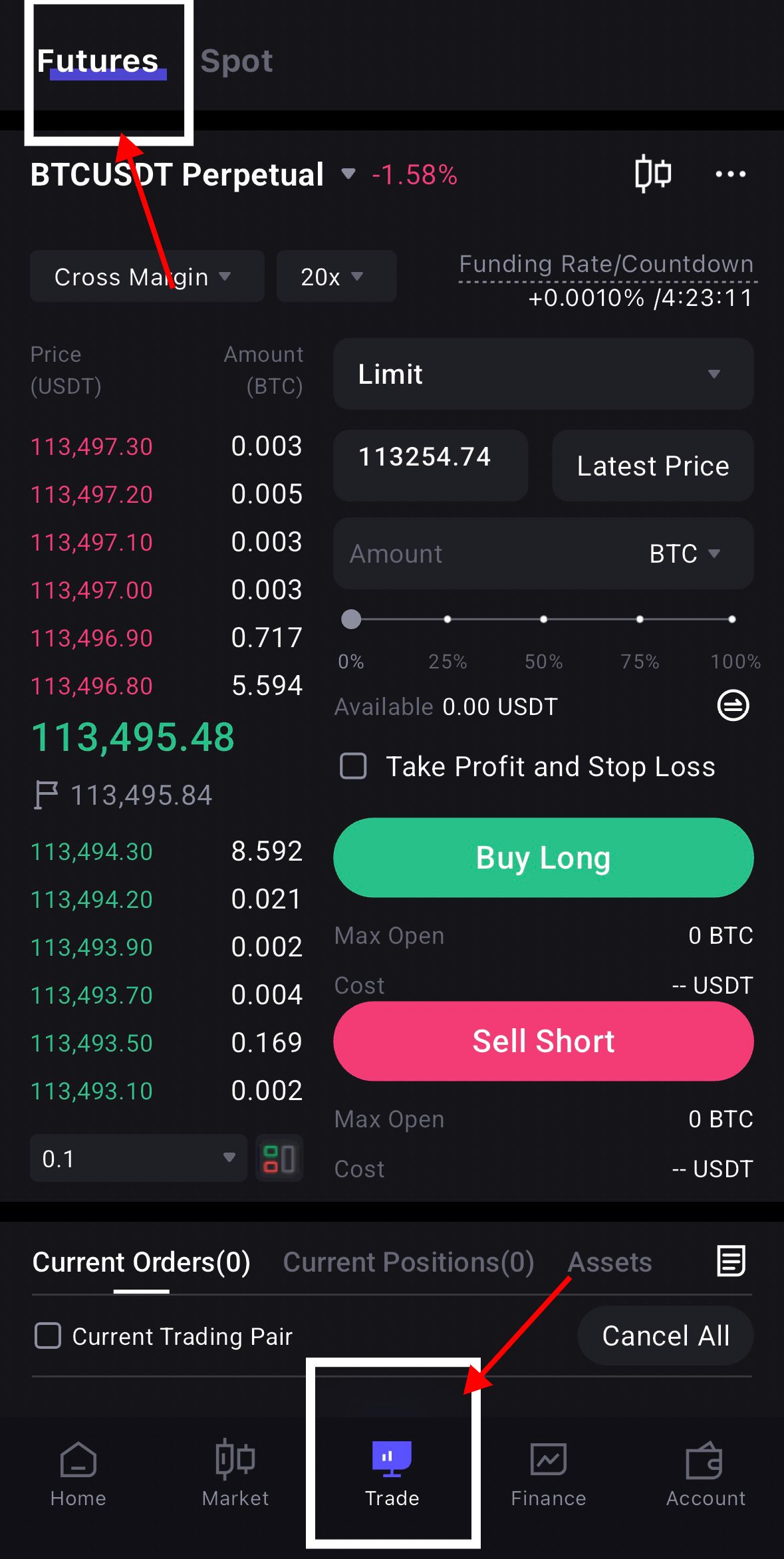
After logging into Bifu, tap [Trade] on the bottom menu of the App homepage, then select [Futures Trading] to enter the module.
Select a Contract
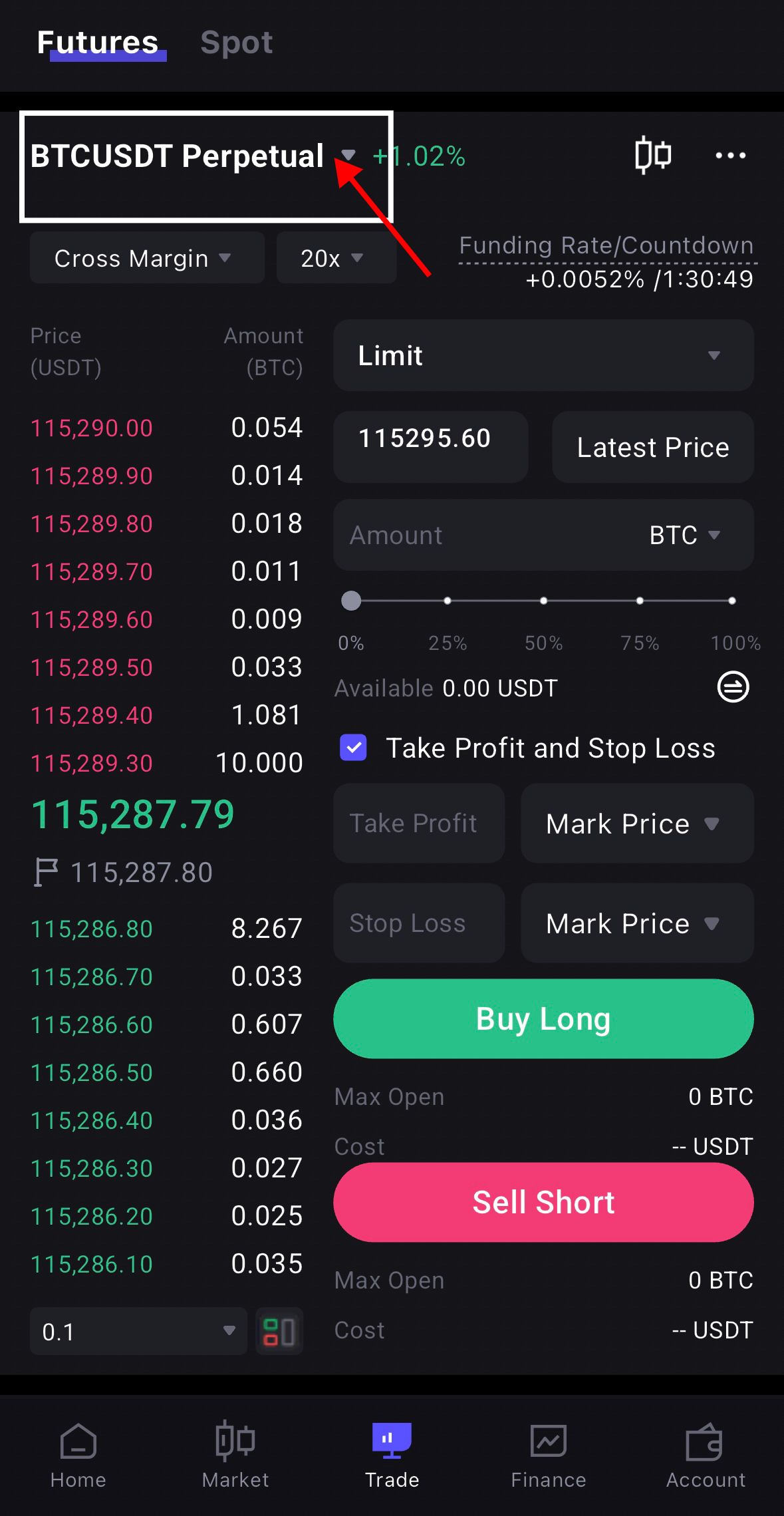
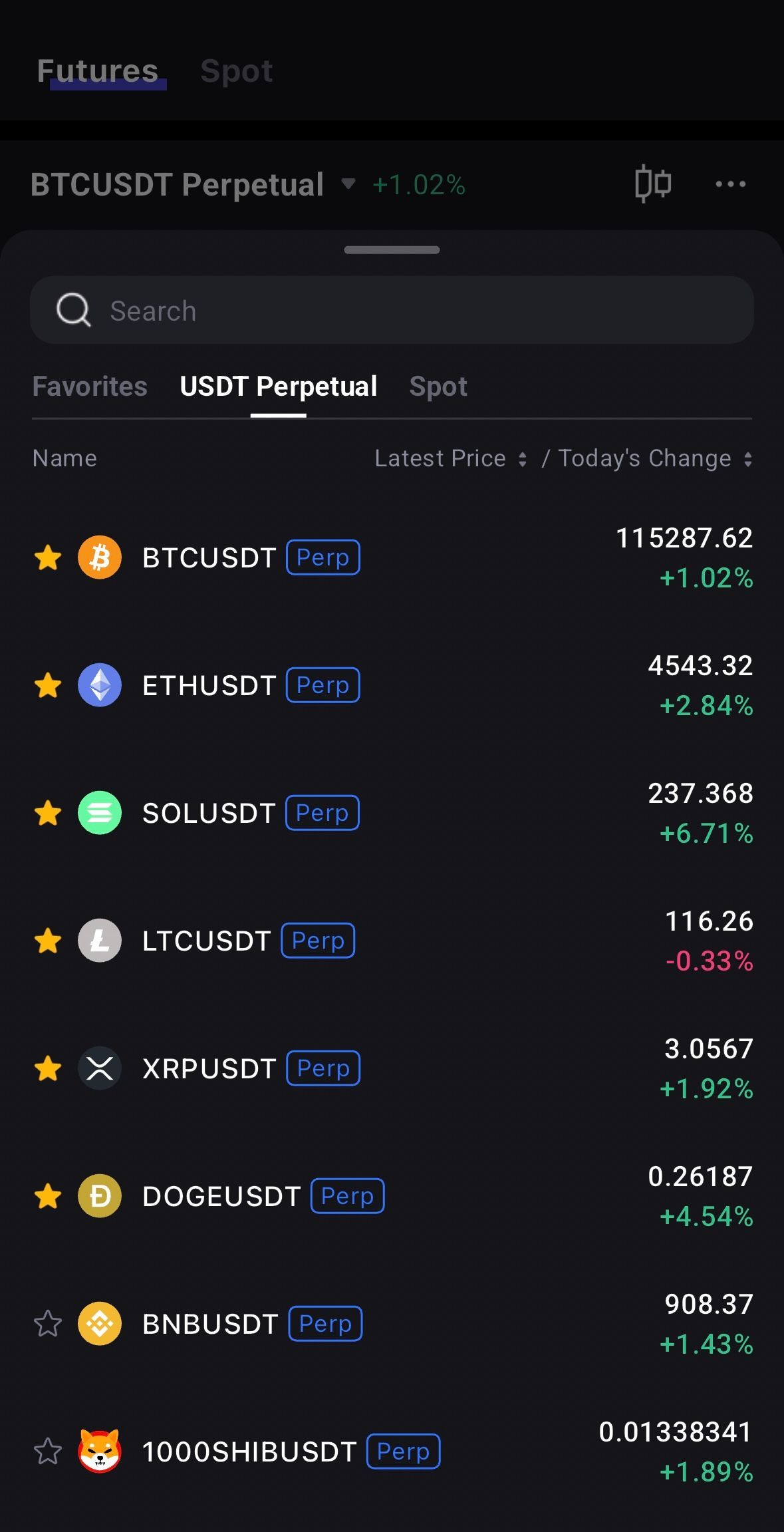
Search or select the futures contract you want to trade at the top of the page, for example BTC-USDT Perpetual.
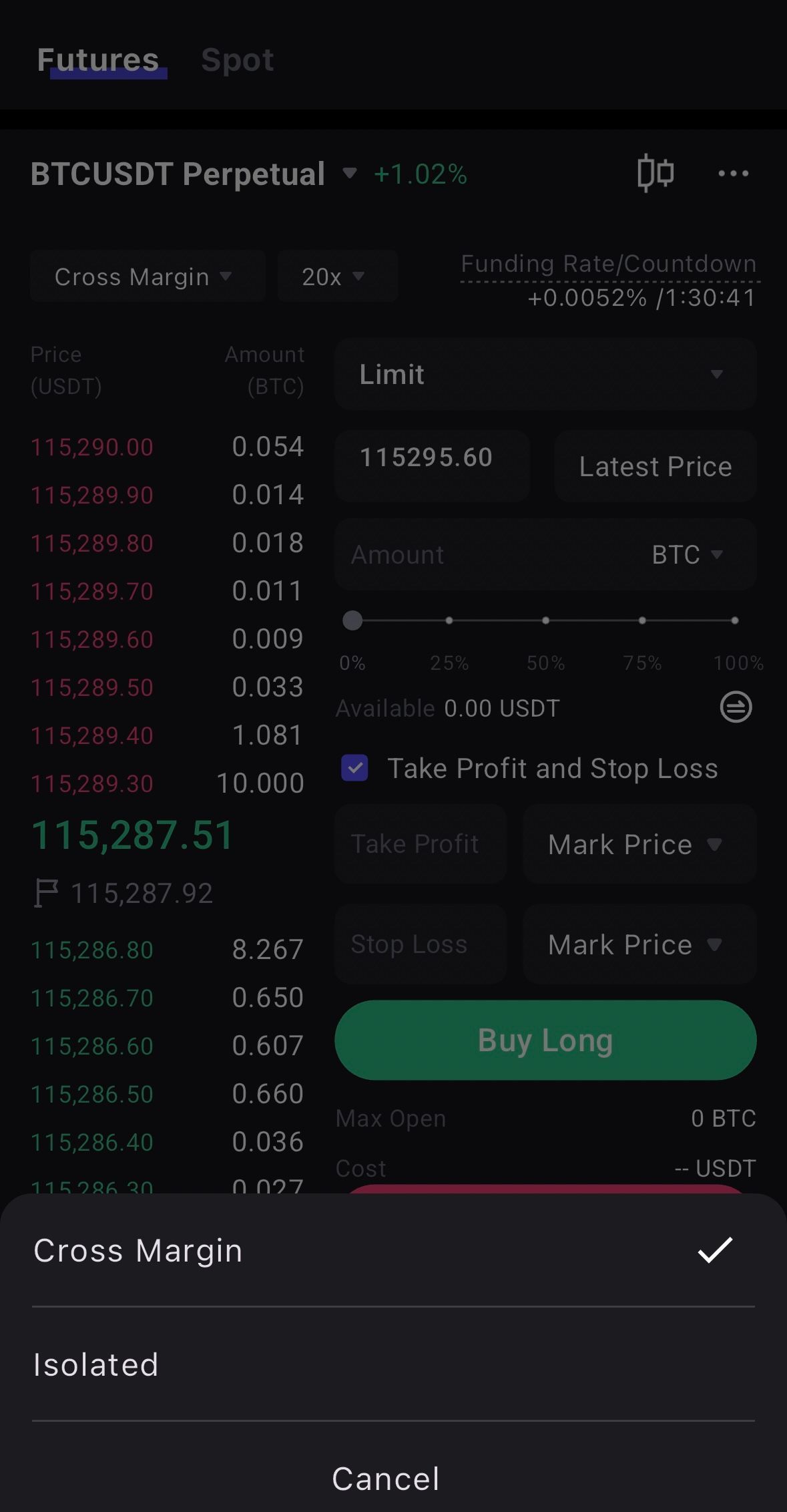
Choose Margin Mode
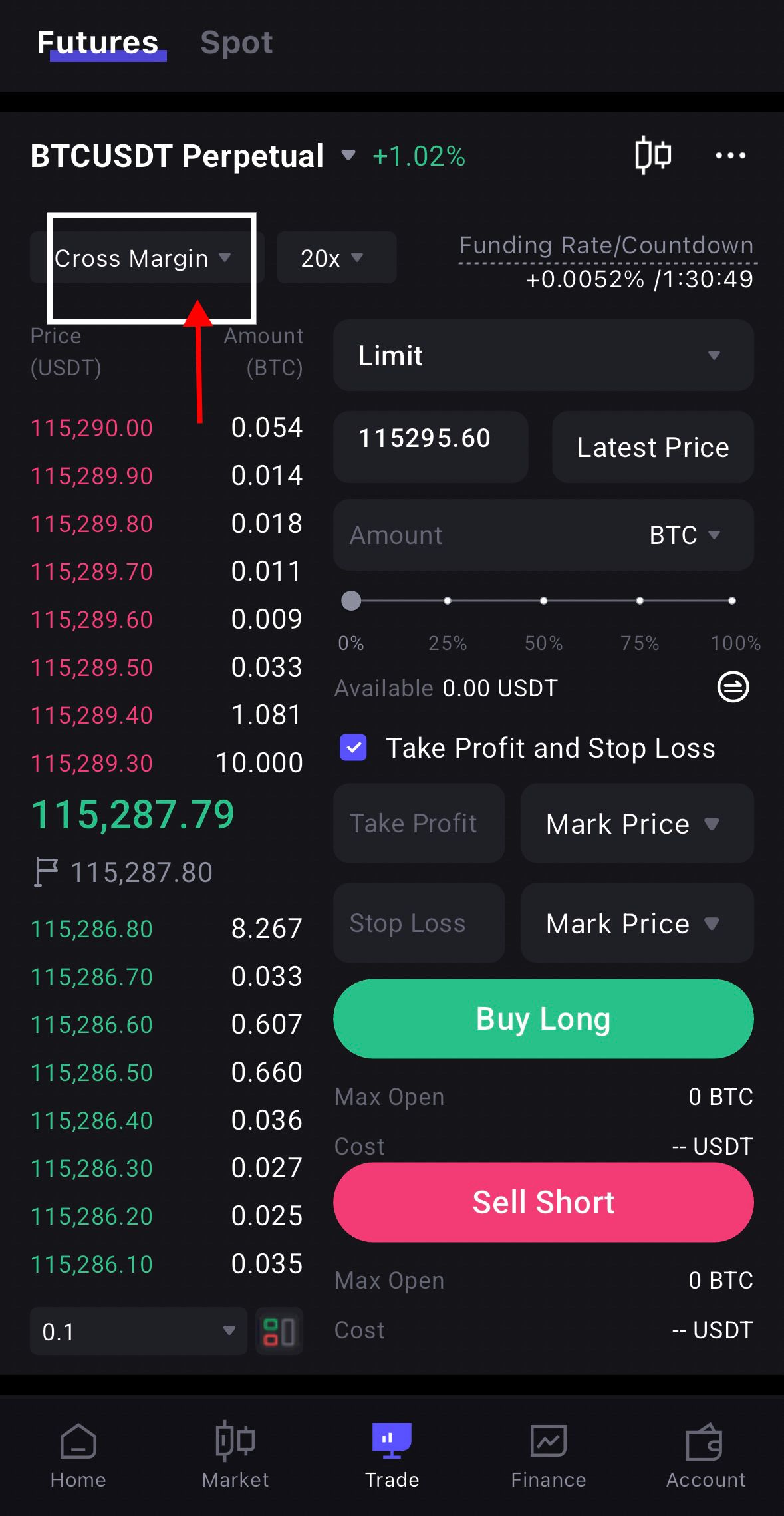
Before trading, select either Cross Margin or Isolated Margin:
- Cross Margin: All funds in the account can be used as margin for all positions, sharing risks and returns.
- Isolated Margin: Each position has its own margin, limiting losses to that specific position.
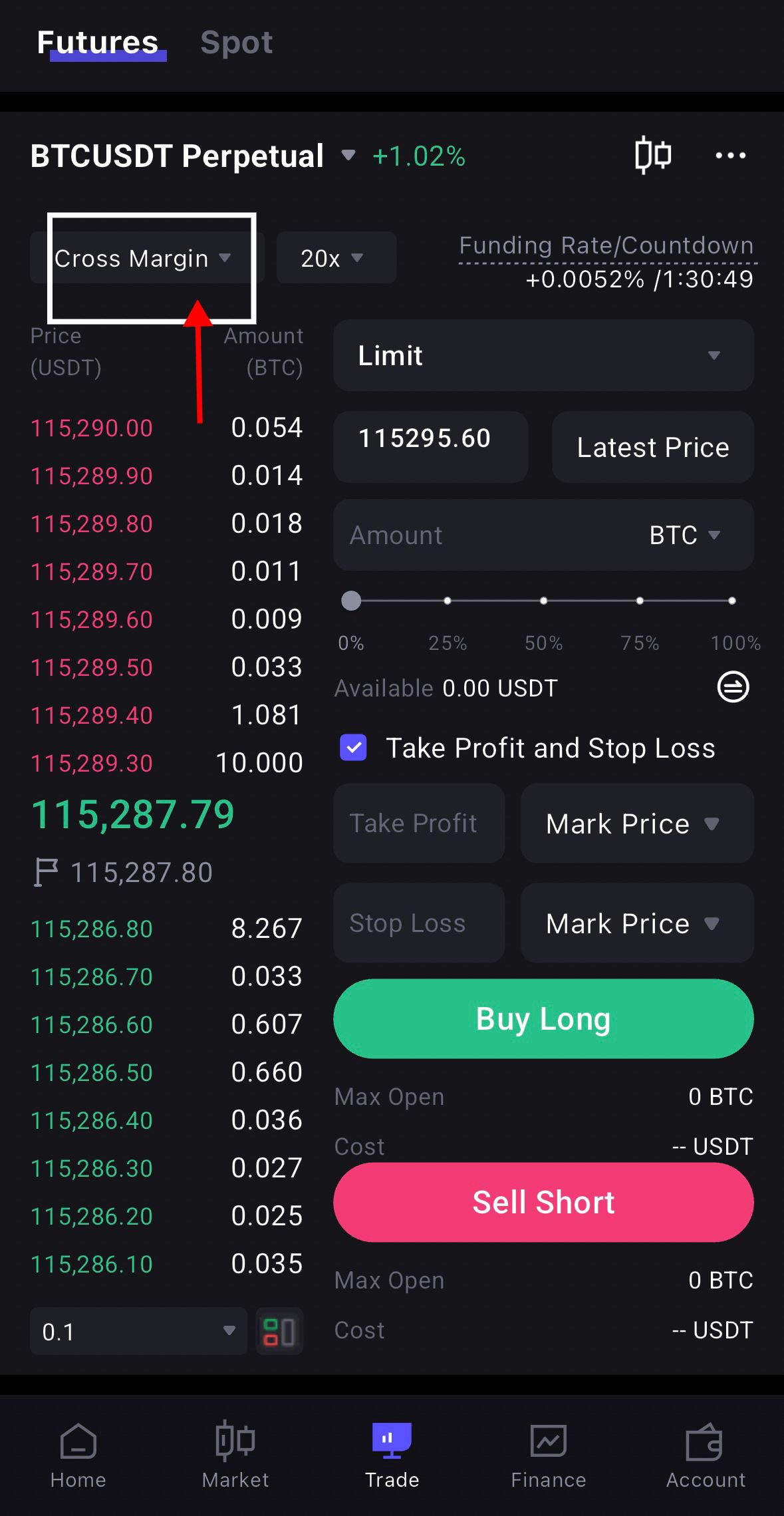
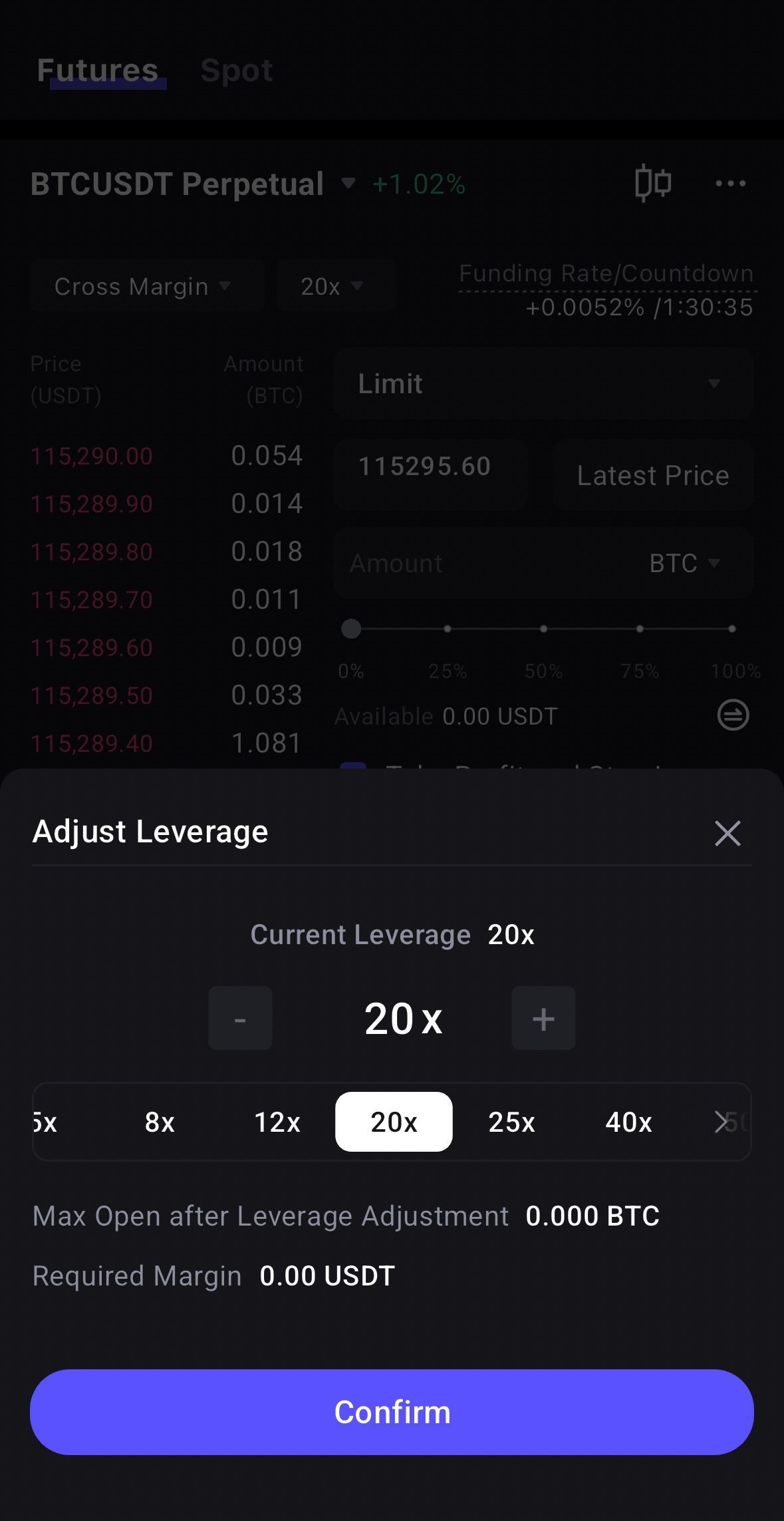
Set Leverage
Adjust the leverage multiplier on the futures page, based on your risk tolerance.
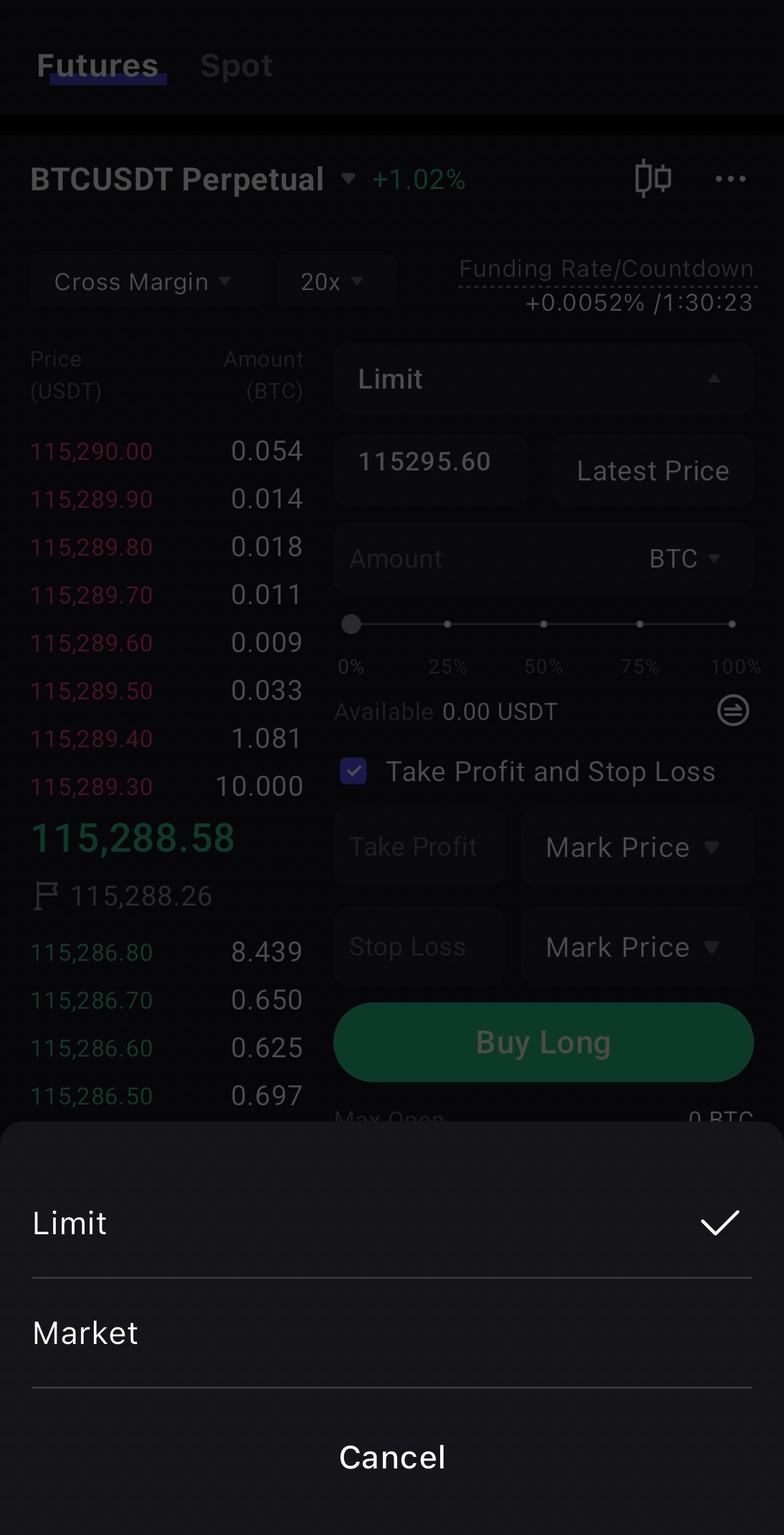
Choose Order Type
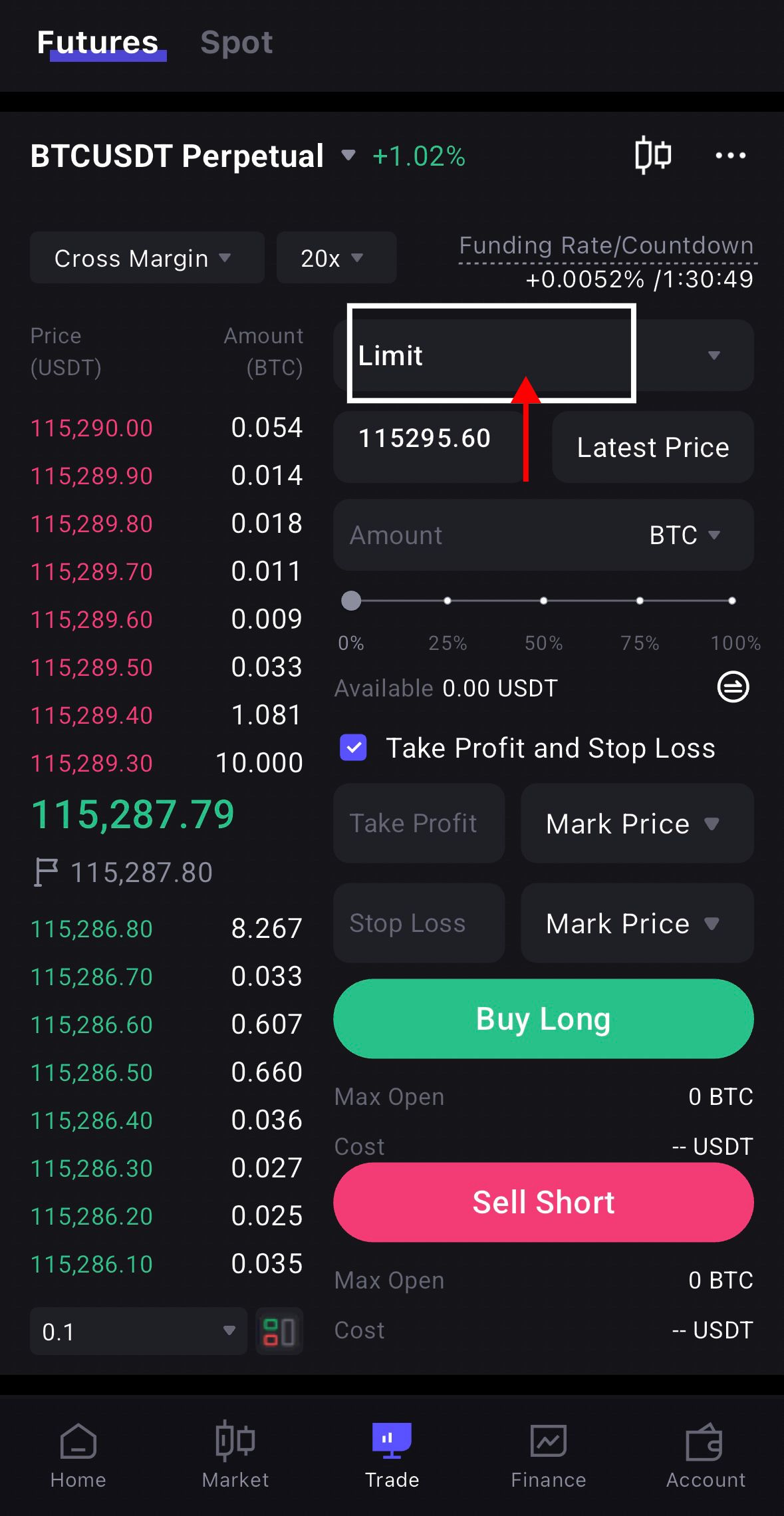
In the order section, select the order type:
- Market Order: Executes immediately at the current market price, suitable for quick entries and exits.
- Limit Order: Executes only when the market reaches your target price.
Enter Order Quantity
Input the number of contracts you want to open. Ensure it does not exceed your available margin.
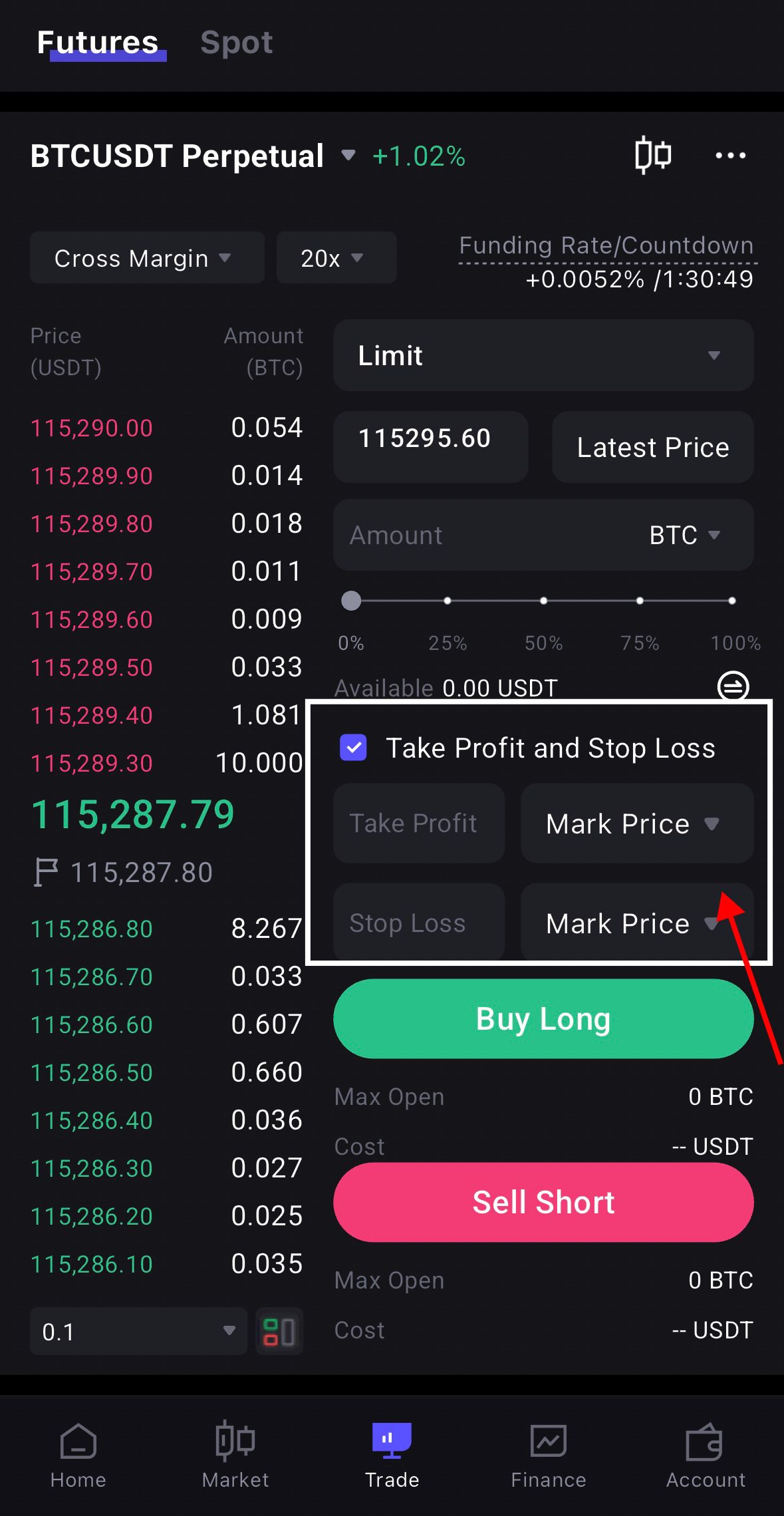
Set Take-Profit and Stop-Loss
To manage risk, set both take-profit and stop-loss prices when placing an order.
Submit the Order
Review the details, then tap [Buy/Long] or [Sell/Short] to place the order.
Manage Positions
On the Positions page, monitor profit and loss. You can adjust take-profit and stop-loss, or close positions manually.
View Orders and History
Tap the [Orders] icon to view open orders and historical trades for better tracking and review.
Add Margin
If losses cause insufficient margin, you can add margin to avoid forced liquidation.
Risk Disclaimer
Digital assets are highly volatile. Please invest cautiously, assess your risk tolerance, and seek professional advice when necessary. This tutorial does not constitute financial, investment, or legal advice.