How to Sign Up on Bifu: Quick Registration Tutorial
Bifu Editorial · 2026-07-07 · 1 min read
Table of contents
Want to trade Forex, Cryptocurrency, Commodities, and Real World Assets (RWA) on Bifu’s professional web platform from your computer?
Want to trade Forex, Cryptocurrency, Commodities, and Real World Assets (RWA) on Bifu’s professional web platform from your computer? This updated 2026 guide provides a complete, step-by-step walkthrough of the quick Bifu registration process.It takes just 3 minutes on PC. New users can claim welcome bonuses right away and begin multi-asset trading.
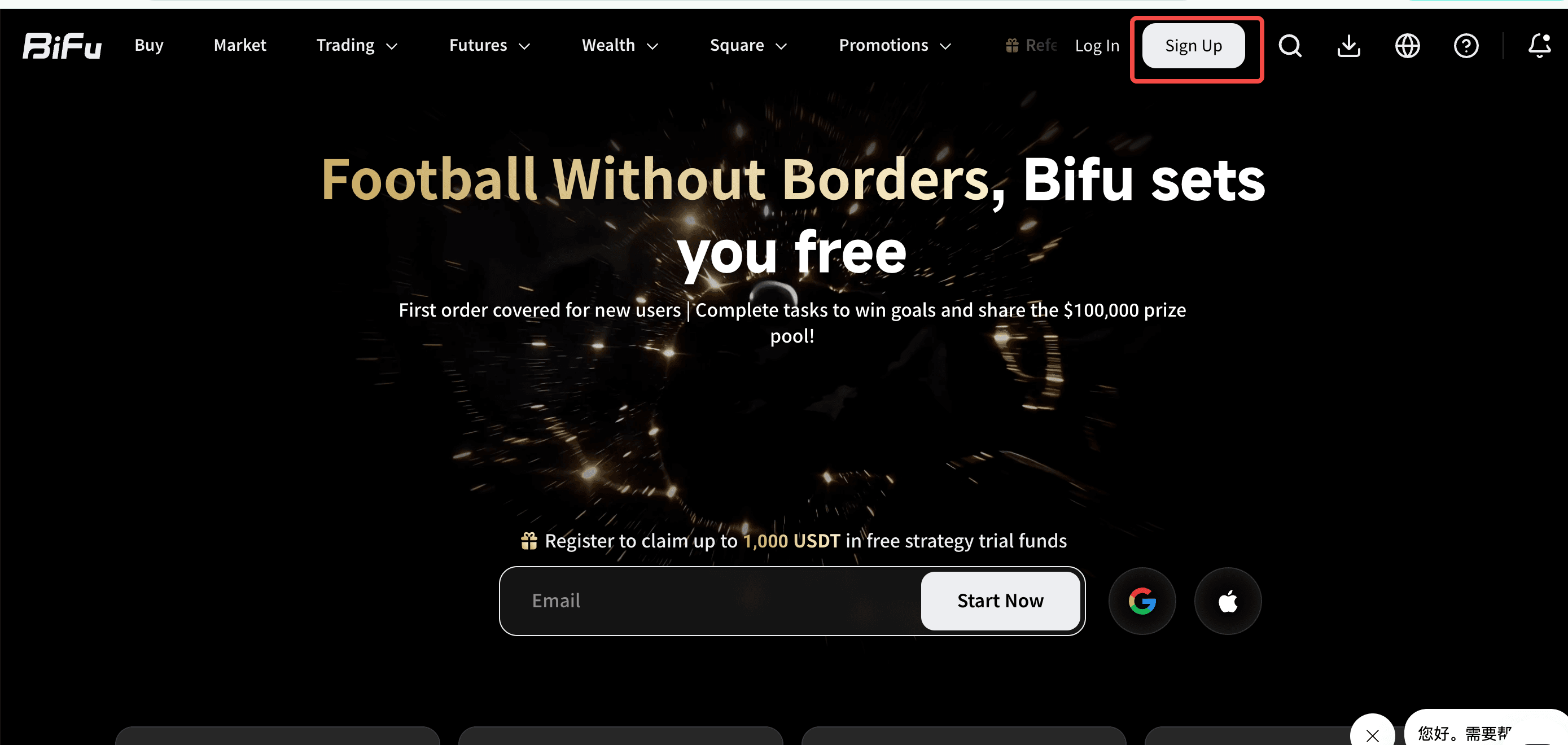
Access the Official Bifu Registration Page
Open your preferred browser and go to the official website: https://bifu.co/.
Click the “Sign Up” button (usually top right or prominently featured on the homepage).
You’ll be directed to the registration page (switch language to English via the selector if needed).
Pro Tip: The PC web version provides a wider, more comfortable interface with clearer charts — ideal for in-depth analysis and long trading sessions.
Fill Out the Bifu Web Registration Form
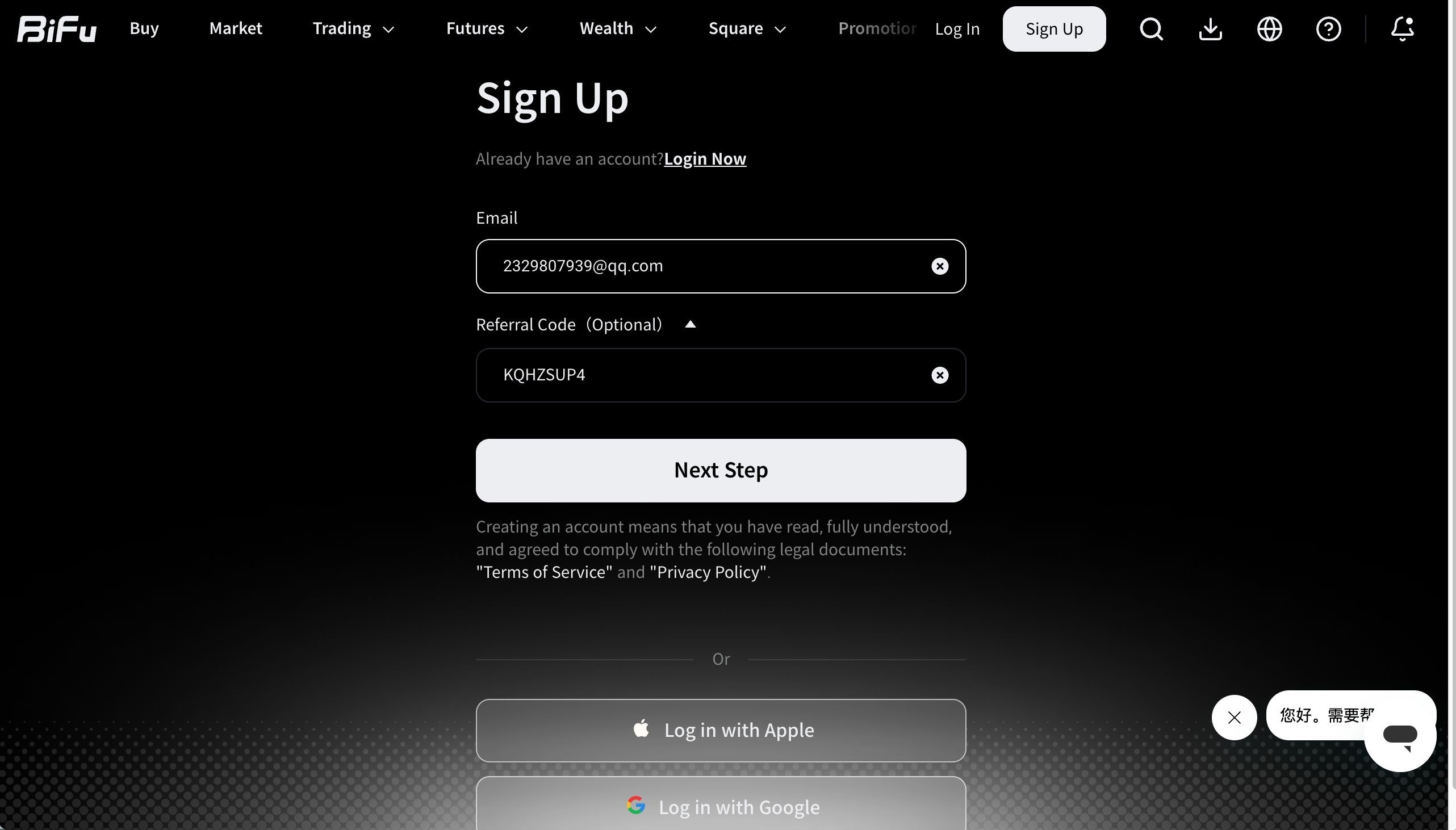
Enter a reliable email address (Gmail or QQ recommended for smooth delivery).
Invitation Code (Optional): Paste one from a referral link to unlock better new-user rewards.
Click “Next”.
Creating an account confirms you agree to Bifu’s Terms of Service and Privacy Policy.
Quick Alternatives:
Continue with Google
Continue with Apple (if available)
Email Verification and Password Setup
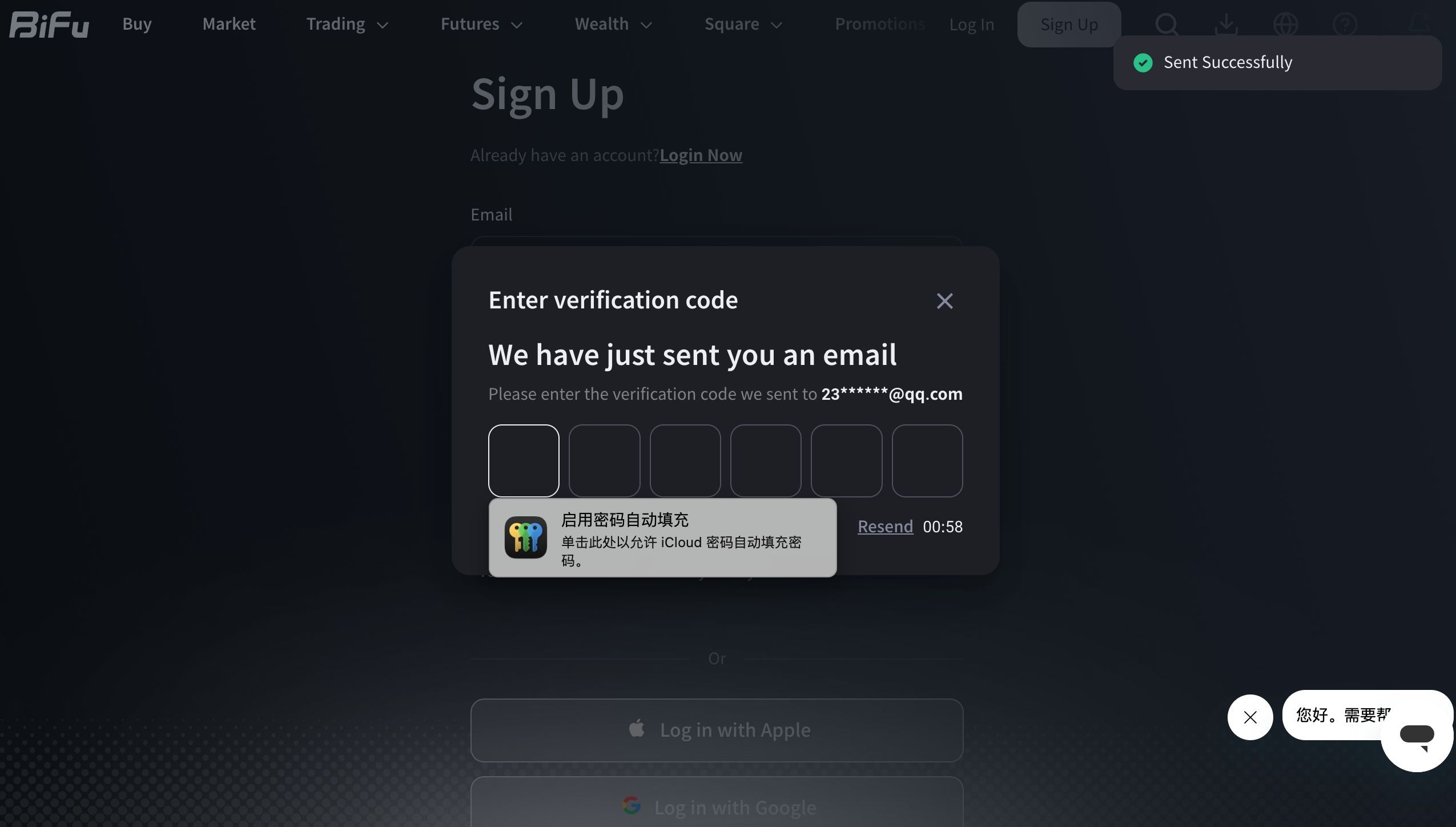
Bifu sends a 6-digit verification code to your email.
Check your inbox (and spam/junk folder), copy the code, and paste it into the form.
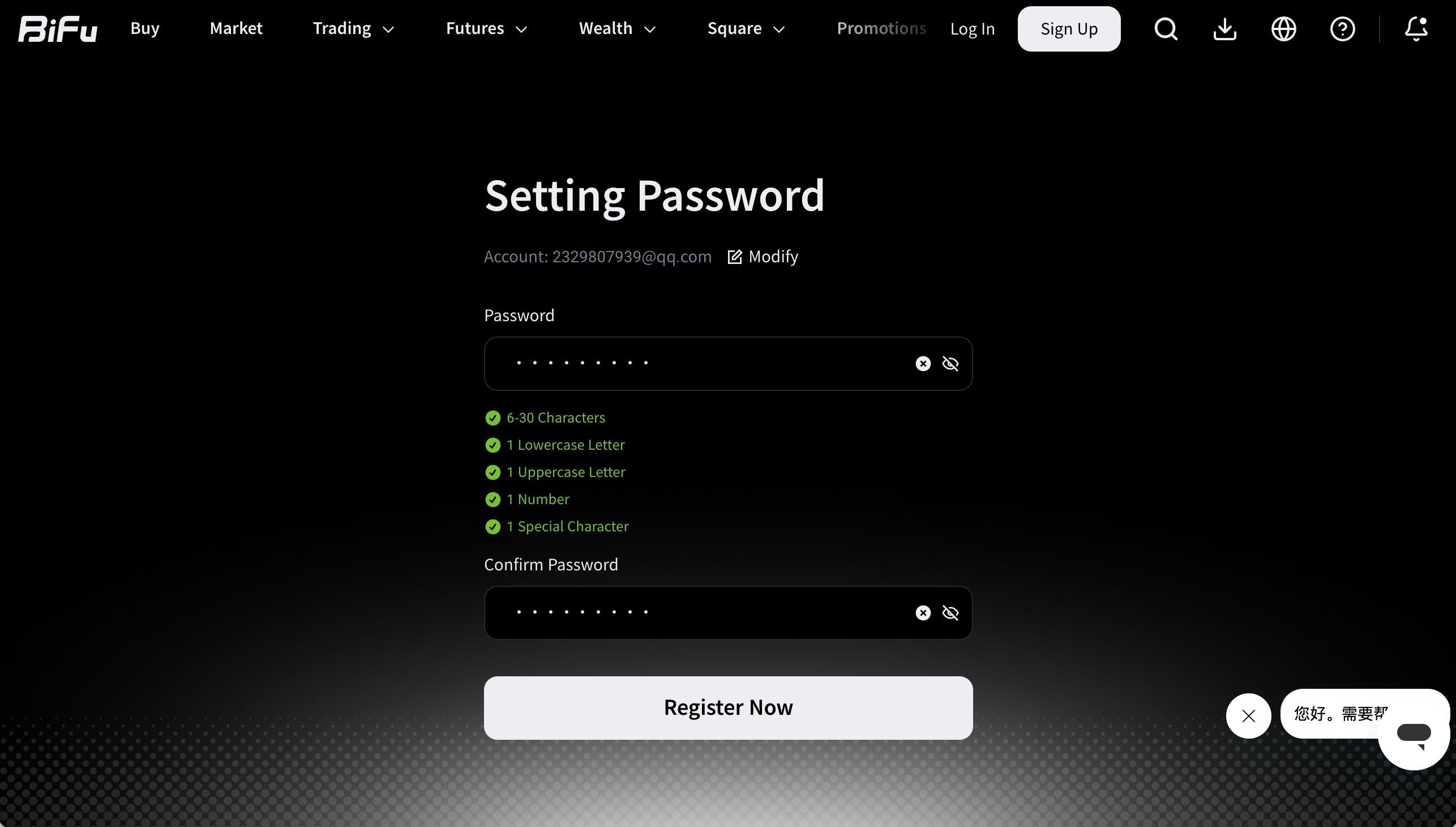
Create a strong password — combine uppercase/lowercase letters, numbers, and symbols.
Submit. Registration successful!
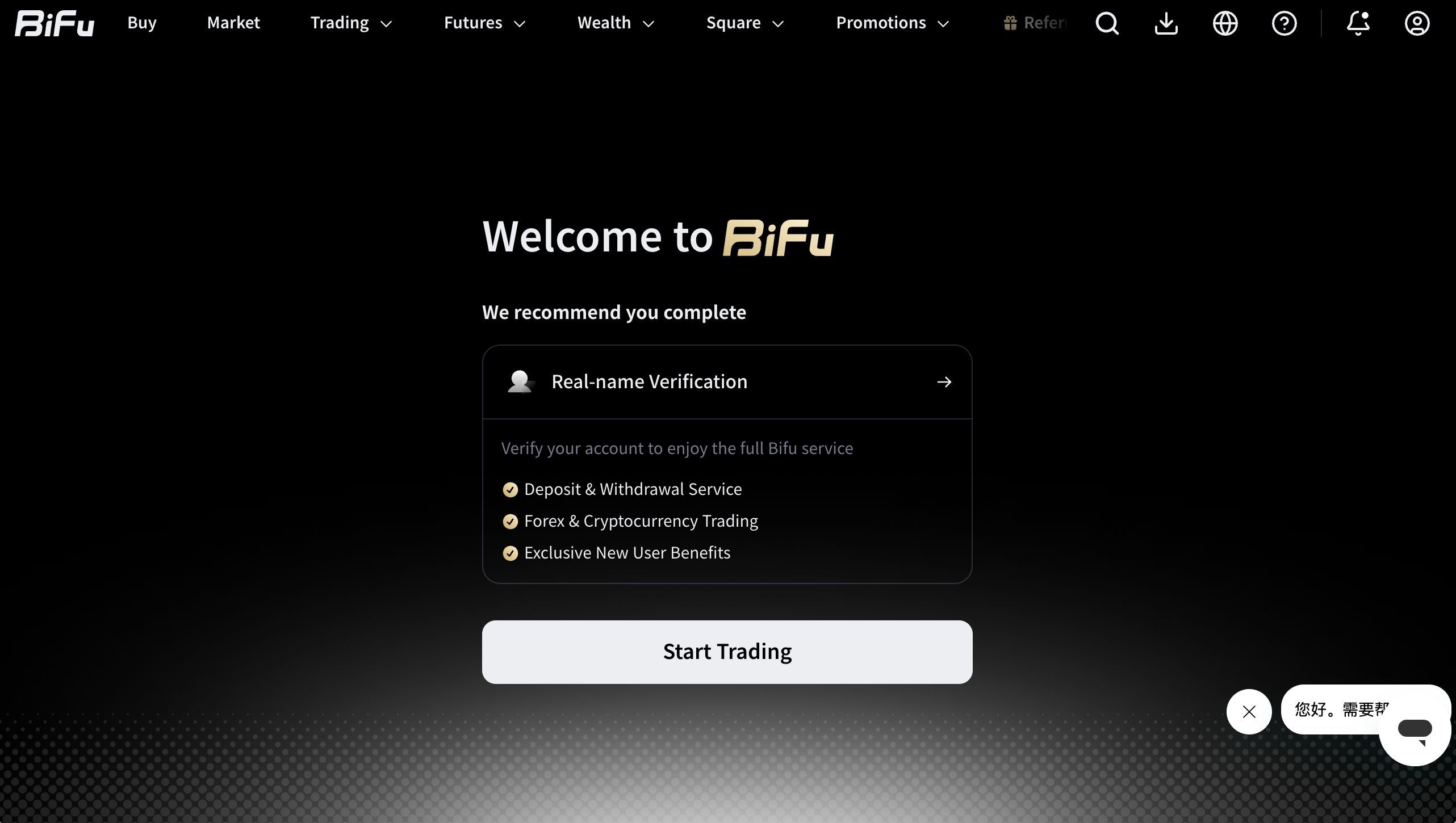
You’ll automatically land on your personalized account dashboard.
4.Next Steps After Registration
Complete KYC (Identity Verification): Upload your ID/documents as soon as possible to raise limits and enable full withdrawals.
Claim New User Rewards: Visit the promotions/events section for experience funds, up to 60 USDT bonuses, and more.
Explore the Platform: Navigate via the left sidebar or top menu — Markets, Trading, Copy Trading, Finance/Liquidity, RWA, etc.
Multi-Tab Workflow: Open several tabs for different assets — a big advantage for active traders.
Why Choose Bifu PC Web Version?
Zero installation — instant browser access
Larger screen for advanced charting and technical analysis
Keyboard shortcuts for efficient order placement
Real-time sync with the mobile app for switching devices seamlessly
Bifu Registration FAQ (2026)
Q: No verification code received?
A: Check spam, confirm network stability, or use “Resend.” Gmail/QQ tends to work reliably.
Q: Registration error?
A: Double-check email format, internet connection, and that you accepted the terms.
Q: Forgot password?
A: Click “Forgot Password” on the login page and reset via email.
Security Best Practices:
Always use https://bifu.co/
Enable two-factor authentication (2FA)
Avoid suspicious links or phishing sites
New User Perks: Finish registration + simple tasks to access up to $10,000 in experience funds and other rewards.
Open your Bifu account
Want to trade Forex, Cryptocurrency, Commodities, and Real World Assets (RWA) on Bifu’s professional web platform from your computer?
Related articles
Inside the HKEX Anchor Investment Flagship Fund: What You Actually Hold
A plain-language walkthrough of the HKEX Anchor Investment Flagship Fund on Bifu: what the fund invests in, how the anchor placement strategy works, where returns come from, and the risks to review before subscribing.
2026-07-09 · 6 min read
How to Spot Trade on Bifu: App and Web Steps
Looking to start spot trading on Bifu? This comprehensive English guide walks you through everything you need to know about Bifu Spot Trading on both the mobile App and PC web version.
2026-07-07 · 1 min read


Trading